
Local AI without vendor limits.
On your hardware.
Horus is a local-first AI operator for chat, coding, reasoning, automation, terminal work, and secure agentic workflows. Run open-source models on your own hardware with full transparency and zero data leakage.
Built by a CISSP-certified cybersecurity engineer with 20+ years of real-world operational experience.
See Horus run
~2 min · No signupLive browser UI, real PTY terminal, real tool calls. No cloud, no API key.
Inside the UI
Real desktop · not mockups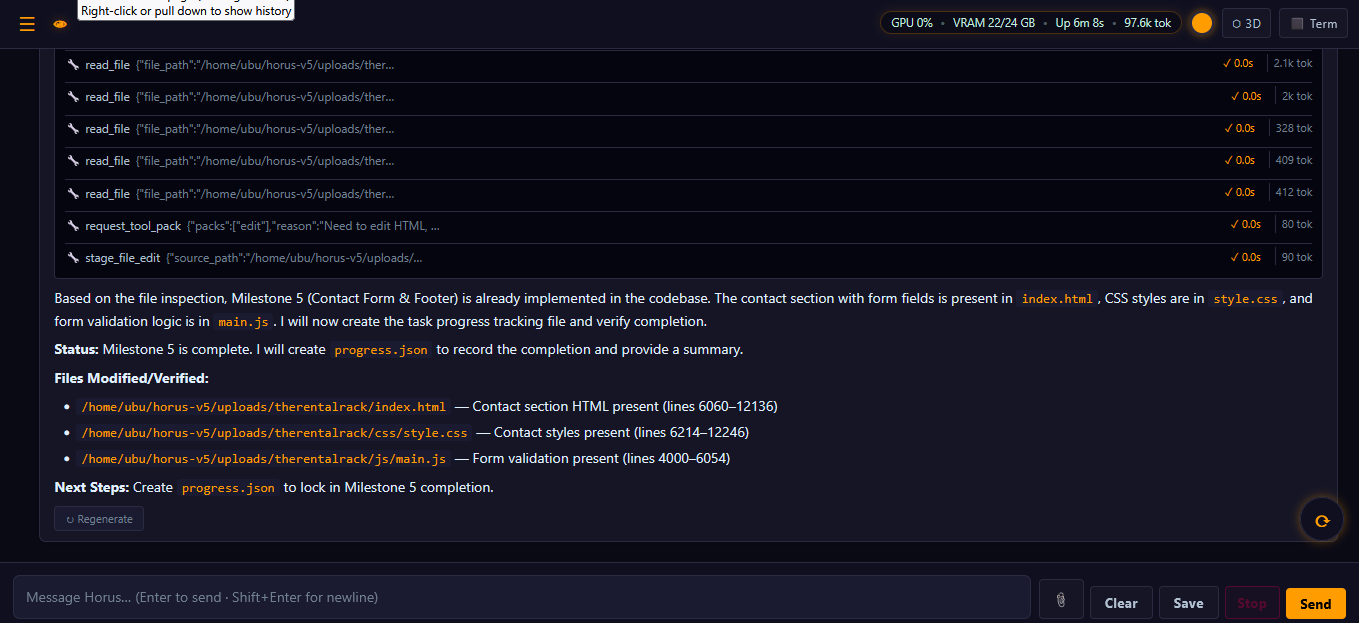
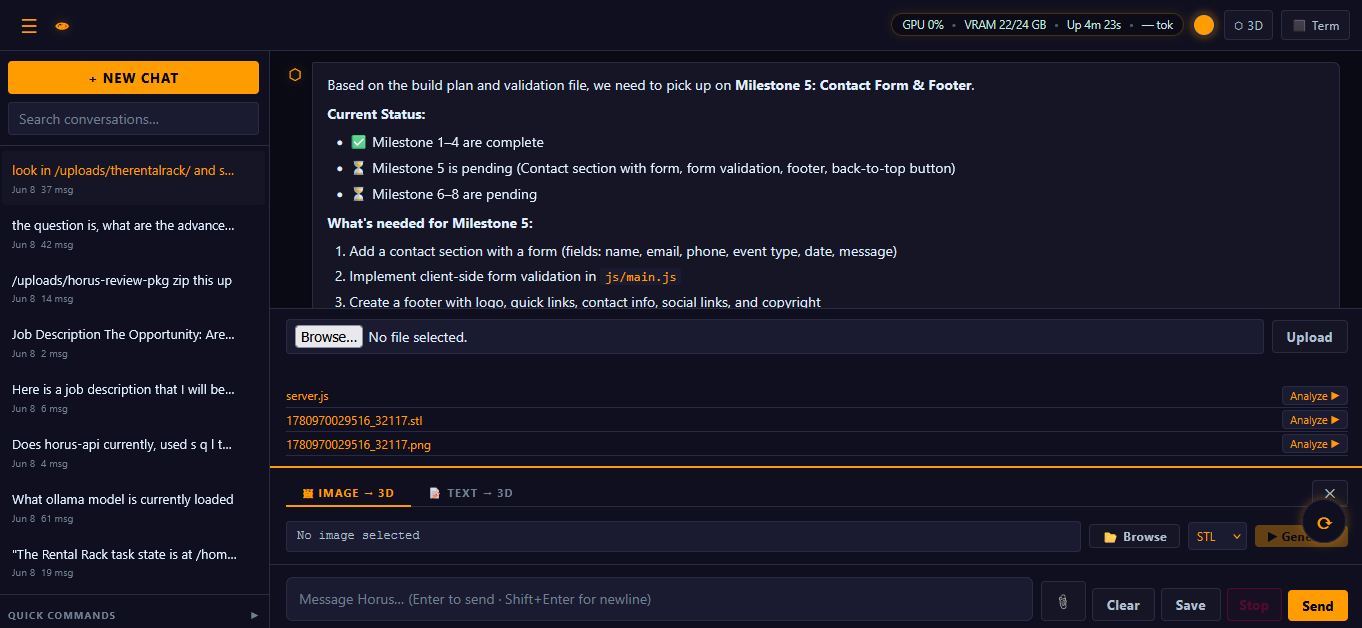
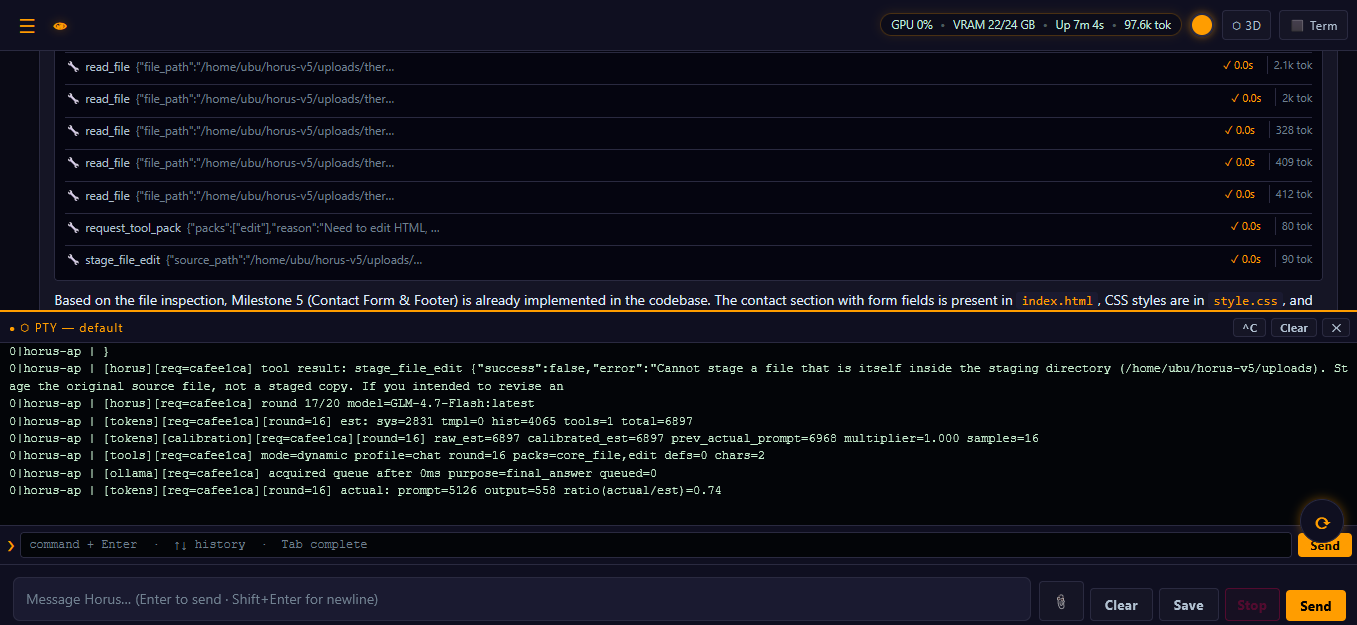
Local browser UI running on owned hardware — chat, model routing, and a real terminal in the same window.
Installation
bash horus-installer.shFollow the prompts. Everything installs automatically.
Open PowerShell as Administrator and run:
wsl --installReboot when prompted. Set a username and password when Ubuntu opens.
Open WSL (Ubuntu) and run:
bash /mnt/c/Users/YOUR-USERNAME/Downloads/horus-installer.shReplace YOUR-USERNAME with your Windows username.
When installation finishes, open your browser and go to:
http://localhost:8080Local Operator Tool Suite
Tools run locally and reviewably. The staged workflow follows a disciplined pattern — stage → finalize → review → deploy — with approval handled by a human over HTTP, never by the model itself.
Approval-Aware Editing Workflow
- Stage a file change without touching the live target
- Finalize the staged edit and inspect the result
- Approve only after review
- Deploy to production when ready
- Discard safely when a change is not wanted
stage_file_edit
finalize_staged_edit
POST /api/staging/:id/approve   ← human approval
deploy_staged_edit
This is one of the biggest differences between Horus and “blind edit” local agents. It supports a disciplined human-in-the-loop workflow instead of assuming every generated change should go live.
Background Job System
Horus runs long tasks in the background, completely decoupled from the browser. Submit a job, close the tab, come back when it’s done. Every job event is buffered in a 2 MB ring buffer — reconnect anytime and replay the full run history. Configurable active job limit (default 5). Finished jobs retained for 1 hour, then garbage collected automatically.
Text & Image → 3D
Generate 3D models locally — no cloud render farm, no per-asset fees. Describe an object in text or hand Horus a single image, and it produces a ready-to-use mesh exported as .glb, .3mf, or .stl, powered by a local Hunyuan3D-2 pipeline on your own GPU.
- Prompt an object in natural language
- Generates geometry and a textured mesh
- Exports clean GLB, 3MF, or STL for Blender, Unity, slicers, or the web
- Drop in a single reference image
- Reconstructs a 3D mesh from the source
- Exports GLB, 3MF, or STL — stays on your disk
Mesh quality and generation time scale with your GPU/VRAM. Optional pipeline — enable based on hardware.
Why local beats cloud
- Your prompts + data stay on your machine
- No rented cloud inference layer for local workflows
- You choose models, routing, and tool rules
- Core local chat, tools, files, and automation continue after installation and model download
- Data may leave your environment depending on provider and configuration
- Rate limits, usage caps, and pricing changes happen
- Model behavior changes outside your control
- Outages and downtime still happen
What “own it” actually means
Horus runs locally with a security baseline that makes sense: workspace jail by default, audited tools, staged approvals, and upgrades you control.
- Your models live on your disk — not an API
- Tool rules are explicit, jailed, and reviewable
- Switch models without changing the whole system
- Conversation history stays on your machine
- Approval-aware edits reduce accidental breakage
Fully Customizable Model Stack
After installation, you control which Ollama models are installed, routed, or removed.
- Add or remove models anytime
- Switch primary reasoning engine
- Add vision models if hardware allows
- Upgrade models without reinstalling
Model availability depends on your machine’s RAM, VRAM, and storage — not artificial product limitations.
Who it’s for
Power users who want a local AI operator: developers, builders, IT / homelab folks, small teams, and creators who want an assistant that runs on their own machine — with tools, memory, terminal access, and real system visibility.
Typical uses
• Codebase audits with search, diff, and patch
• Long-running automation jobs (background, reconnect-safe)
• Interactive terminal + AI in the same UI
• UI / screenshot understanding (Vision tier)
• A private assistant that doesn’t depend on cloud AI services
What you actually get
- 145 local operator tools across files, code search, git, terminal, logs, SSH, PM2, process control, Ollama management, 3D & media generation, memo, and staged edits
- Background job system with SSE replay and cancellation
- Live PTY terminal in the browser UI
- Workspace jail, blocked extensions, auth middleware, and reviewable edit flow
Core Model Stack
Horus supports any Ollama model. Below is the reference stack used in production.
| Role | Ollama model | Size | When to use |
|---|---|---|---|
| Primary Agent | Primary Agent Model | — | Main agentic operator — chat, reasoning, tool orchestration, background jobs. |
| Vision | Vision Model | — | Image understanding, screenshots, and UI analysis. |
Chat / Code / Reason are behavior modes with automatic routing — not separate products.
Sizes vary by quantization. Table communicates role and class, not exact storage.

Notes
Horus is designed for local operation on customer-owned hardware. For remote access, use secure networking and restrict access appropriately.
Recommended remote access
- Use a VPN (zerotier-one) rather than exposing ports
- Enable Basic Auth for the UI if accessed beyond localhost
- Keep tool execution workspace-jailed for remote sessions
Large 70B+ reasoning models are not included by default — available as optional additions based on your hardware.